Quick Change Flow
Open Settings in the Family App, go to Display Settings, then use the Schedule Time Zone card to pick the time zone you want for schedule times.
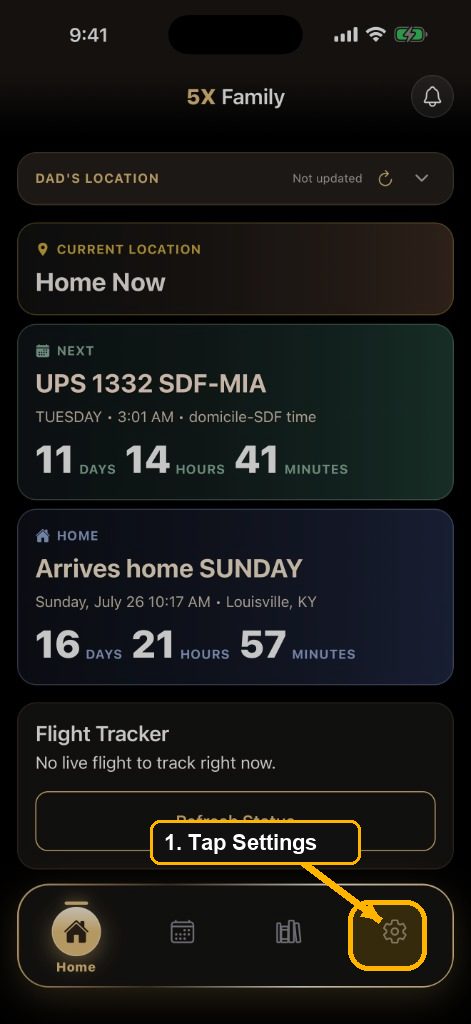
- In the Family App, tap Settings in the bottom navigation.
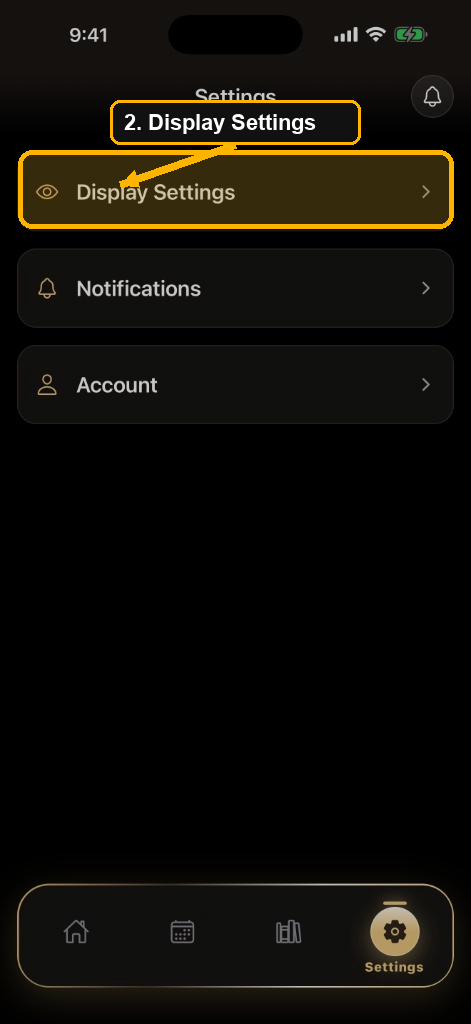
- Tap Display Settings.
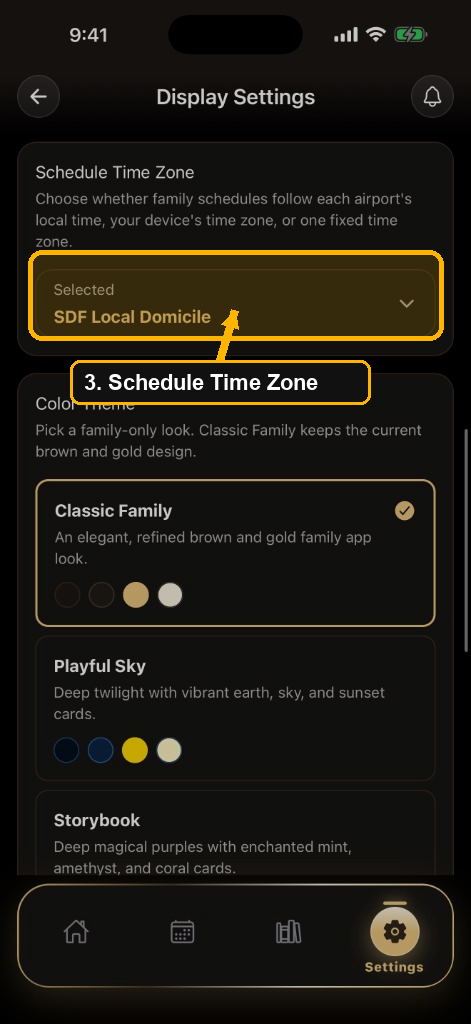
- Scroll to the Schedule Time Zone card and tap the current selected value to open the list.
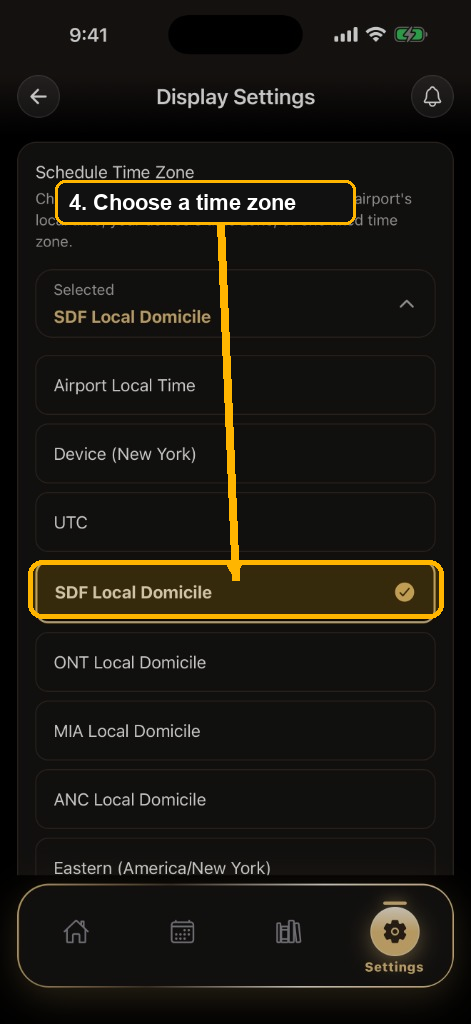
- Choose how you want times shown: Airport Local Time, your Device time zone, UTC, or a fixed Local Domicile option.
- Return to Home. Schedule cards update to the time zone you selected.
Tip: This setting only changes how the Family App shows times. It does
not change the crew member's schedule in 5X Wingman. If times look off after a domicile
change, open Schedule Time Zone again and pick the matching domicile
or Airport Local Time.